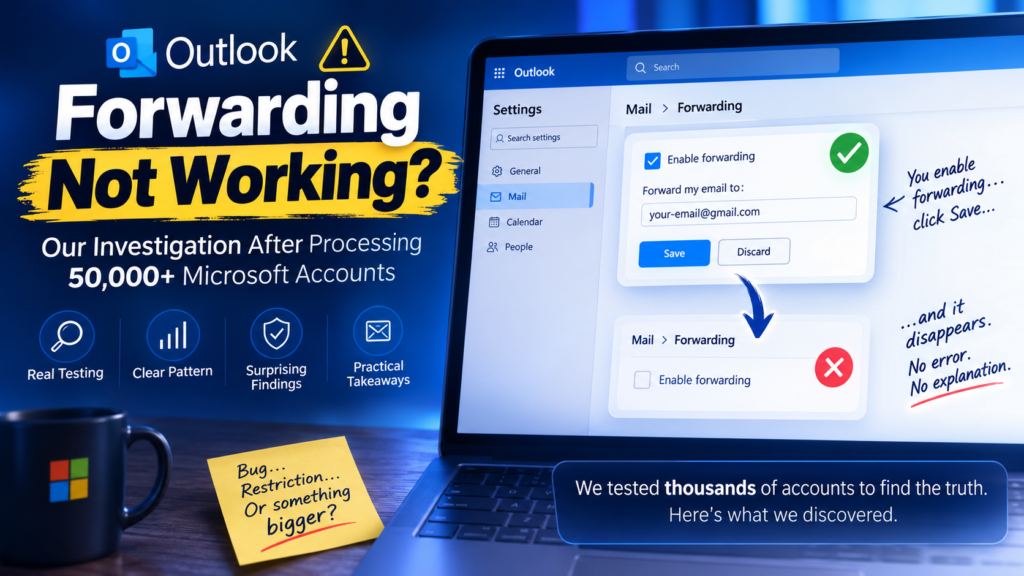
Outlook Forwarding Not Working? Our Investigation After Testing 50,000+ Microsoft Accounts
Outlook Forwarding Not Working? Our Investigation After Processing 50,000+ Microsoft Accounts Published by the FoxSoft Team Last Updated: July 2026 Introduction For years, Microsoft Outlook has included a built-in feature that allows users to automatically forward incoming emails to another address. For many businesses, marketers, account managers, and anyone managing multiple email accounts, this feature has been essential. Then, something changed. Around June 2026, our support team started receiving reports from customers who could no longer enable forwarding on Outlook accounts. The process looked completely normal. Forwarding could be enabled. The destination email could be entered. The settings appeared to save successfully. But after refreshing the page… Everything disappeared. No error message. No warning. No explanation. At first, we assumed it was a temporary Microsoft issue. Then another customer reported the exact same behavior. Then another. And another. Within days, it became clear that this wasn’t an isolated incident. Because the FoxSoft team processes more than 50,000 Microsoft email accounts every year, we were in a unique position to investigate the issue using a much larger sample size than the average user. Instead of testing one or two accounts, we were able to compare thousands of Outlook, Hotmail, and Live accounts across different account ages, countries, browsers, IP addresses, operating systems, and security configurations. What started as a simple support ticket quickly turned into a month-long investigation. This article documents exactly what we observed, what we tested, and the pattern that consistently appeared throughout our testing. One important note before we begin: This article does not represent an official statement from Microsoft. Everything below is based on our own testing and observations while working with a large number of Microsoft accounts. Timeline of the Investigation June 2026 The first customer reports arrive. Several users report that Outlook forwarding settings disappear immediately after being saved. At this stage, we assume it’s simply a temporary Microsoft bug. Late June 2026 More customers begin reporting the exact same problem. Our internal team starts testing the issue across different environments. Early July 2026 Testing expands significantly. We compare: Despite changing nearly every possible variable, the issue remains. Mid July 2026 After hundreds of additional tests, one pattern begins appearing repeatedly. The issue no longer appears random. Instead, it seems closely related to the security history of the Microsoft account itself. Why We Decided to Publish This Normally, internal investigations like this stay within our support team. However, after searching online, we found thousands of users asking the same questions: Unfortunately, most discussions ended without a clear answer. Rather than keeping our findings internal, we decided to publish everything we observed in the hope that it helps others experiencing the same issue. If Microsoft changes the behavior in the future, we’ll update this article accordingly. What We Wanted to Find Out Before running any tests, we wrote down a simple question: What causes Outlook forwarding settings to disappear immediately after saving? That question became the foundation of every test we performed over the following weeks. Instead of looking for assumptions, we focused only on one thing: Finding patterns supported by real-world testing. What We Tested Once we realized the issue was affecting far more than a handful of users, we stopped looking for quick fixes and started treating it like a technical investigation. Our goal wasn’t to prove a theory. Our goal was simple: Identify exactly what these accounts had in common. Instead of changing multiple variables at once, we changed only one variable per round of testing. This allowed us to eliminate possible causes one by one. Test Environment Over the following weeks, we tested Microsoft accounts under dozens of different conditions. The variables included: Variable Tested Outlook.com accounts ✅ Hotmail.com accounts ✅ Live.com accounts ✅ Newly created accounts ✅ Older accounts ✅ Multiple browsers ✅ Different Windows installations ✅ Residential IPs ✅ VPN connections ✅ Multiple countries ✅ Different ISPs ✅ Every test followed the exact same process. Simple. Repeatable. Easy to verify. What Didn’t Matter One of the biggest surprises was how many commonly suggested “solutions” made absolutely no difference. Changing browsers didn’t help. Changing computers didn’t help. Using another VPN didn’t help. Changing IP addresses didn’t help. Trying another country didn’t help. Even completely fresh Windows installations produced the same result. After enough testing, we became confident that the issue was not related to the local computer. It also didn’t appear to depend on: Those variables consistently produced the same outcome. The Turning Point After eliminating nearly every environmental factor, we shifted our attention away from the computer… …and toward the Microsoft account itself. Instead of asking: “What’s wrong with this PC?” we started asking: “What’s different about these accounts?” That question changed everything. The Pattern We Couldn’t Ignore As our dataset continued growing, something unexpected happened. Accounts slowly started separating themselves into two very different groups. One group could save forwarding settings without any problems. The other group almost never could. At first, we assumed it was coincidence. But every additional test reinforced the same observation. Eventually, the pattern became impossible to ignore. Group One Older Microsoft accounts. Previously verified. Forwarding saved normally. Settings remained after refreshing. No issues. Group Two Newer Microsoft accounts. Or older accounts that had never completed Microsoft’s previous phone verification process. Forwarding appeared to save… But disappeared immediately after refreshing the page. Exactly the same behavior. Every time. An Interesting Observation Years ago, Microsoft allowed users to verify their accounts using a phone number. Many older Outlook users completed this verification without giving it much thought. Today, that option is no longer available for newly created accounts. The phone verification page has largely disappeared from the account security process, leaving many users unable to reproduce the same verification state as older accounts. This immediately caught our attention. Could there be a connection? An Important Disclaimer At this point, it’s important to make something very clear. We are not saying that phone verification is officially required for Outlook forwarding. Microsoft has never published documentation stating